
Chrome extension
AI Visibility CheckerScore any site without leaving it.
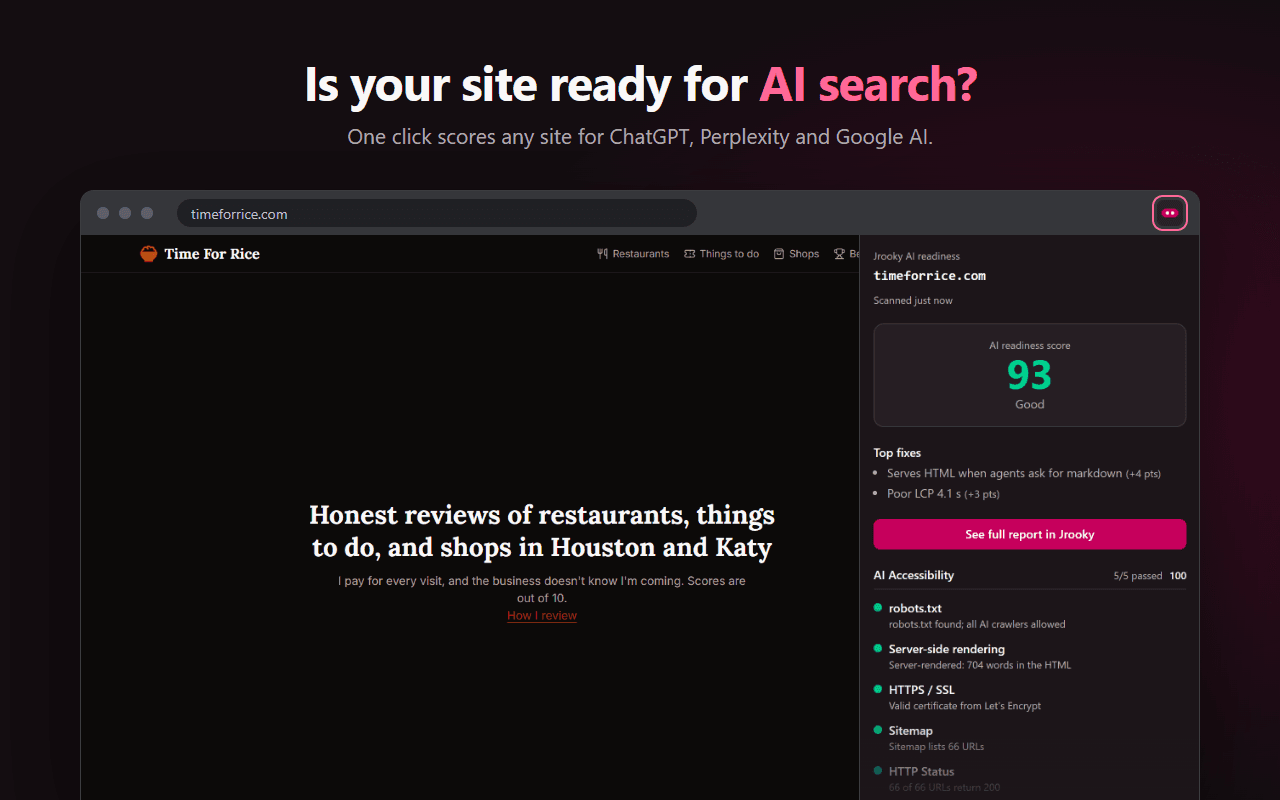
Click the Jrooky icon on any website to see whether ChatGPT, Claude, Perplexity and Google’s AI can find, read and cite it, right in Chrome’s side panel.
What it does
The Jrooky scan,
one click away.
One click, any site
Click the Jrooky icon on any site to open the side panel and audit it. No copying URLs.
The same score as jrooky.com
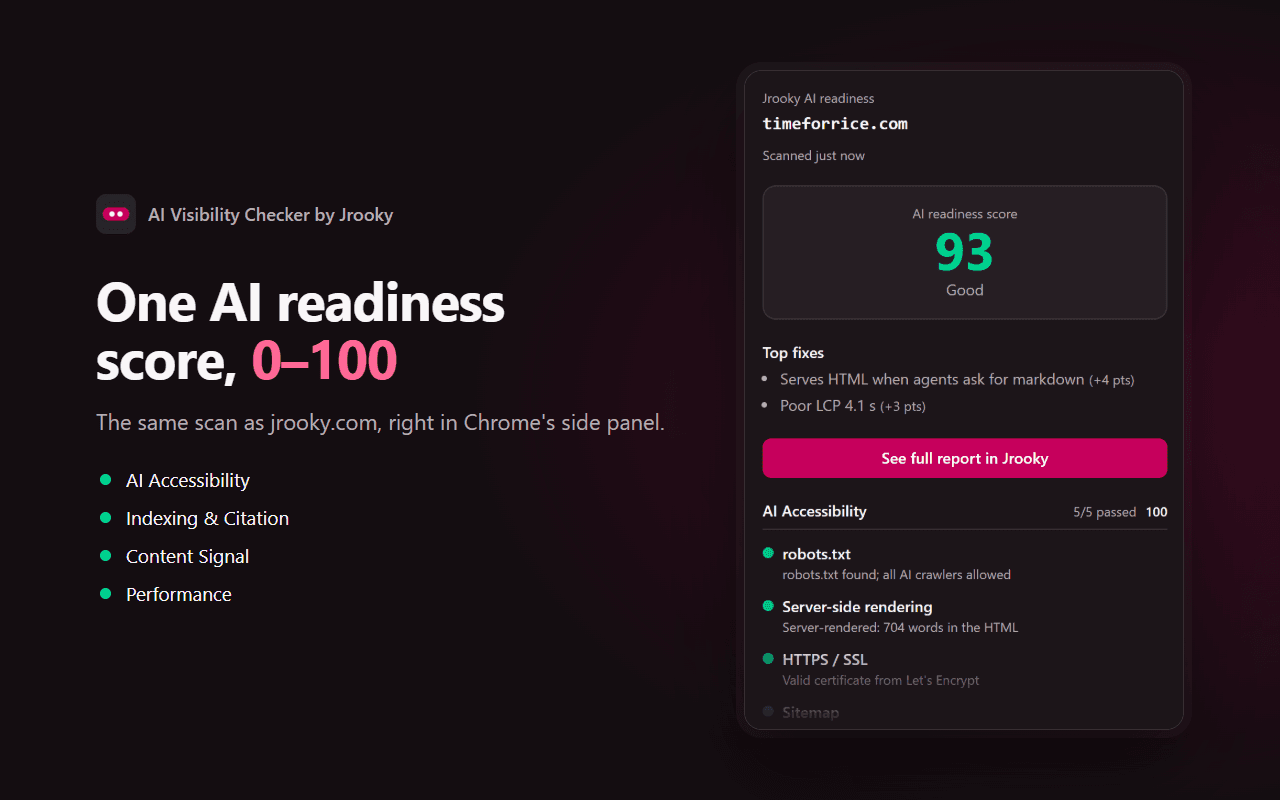
A 0–100 AI readiness score, the four area subscores and the top fixes, from the same scan.
Checks the page you're on
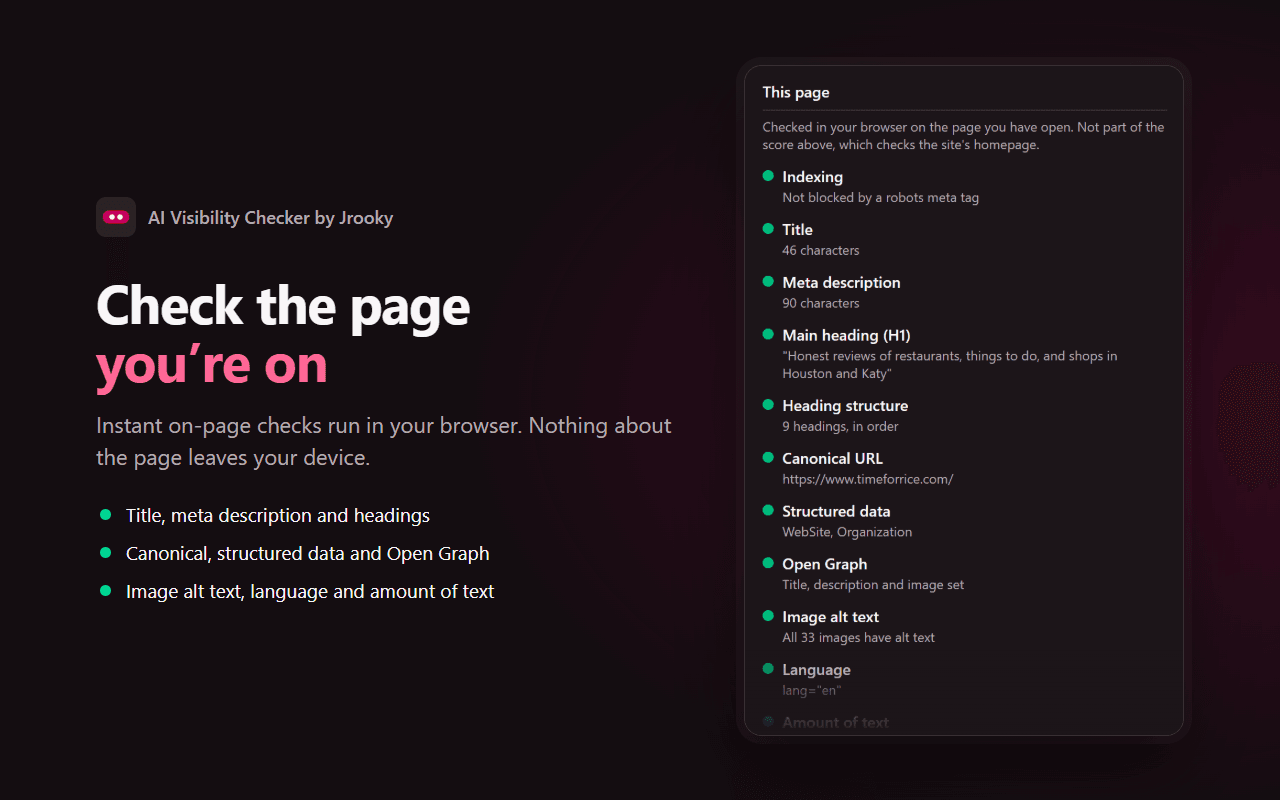
Title, meta description, headings, canonical, structured data, Open Graph and alt text, read in your browser.
Nothing runs until you click
It only sees a site when you click its icon, and the only site it talks to is jrooky.com.
How it works
Install once.
Audit anywhere.
- 01
Add it to Chrome
Install from the Chrome Web Store and pin the Jrooky icon.
- 02
Open any site
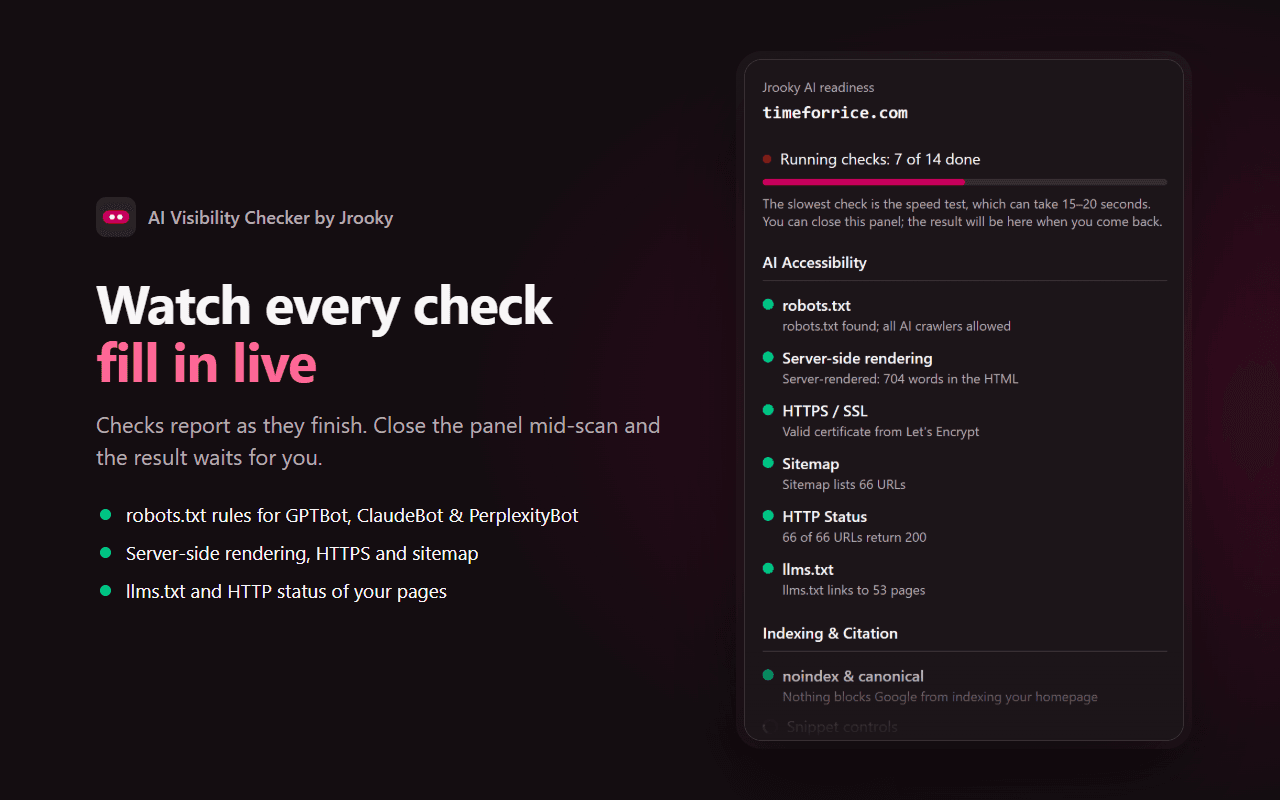
Click the icon, then “Audit this site”. Checks fill in as they finish.
- 03
Fix and rescan
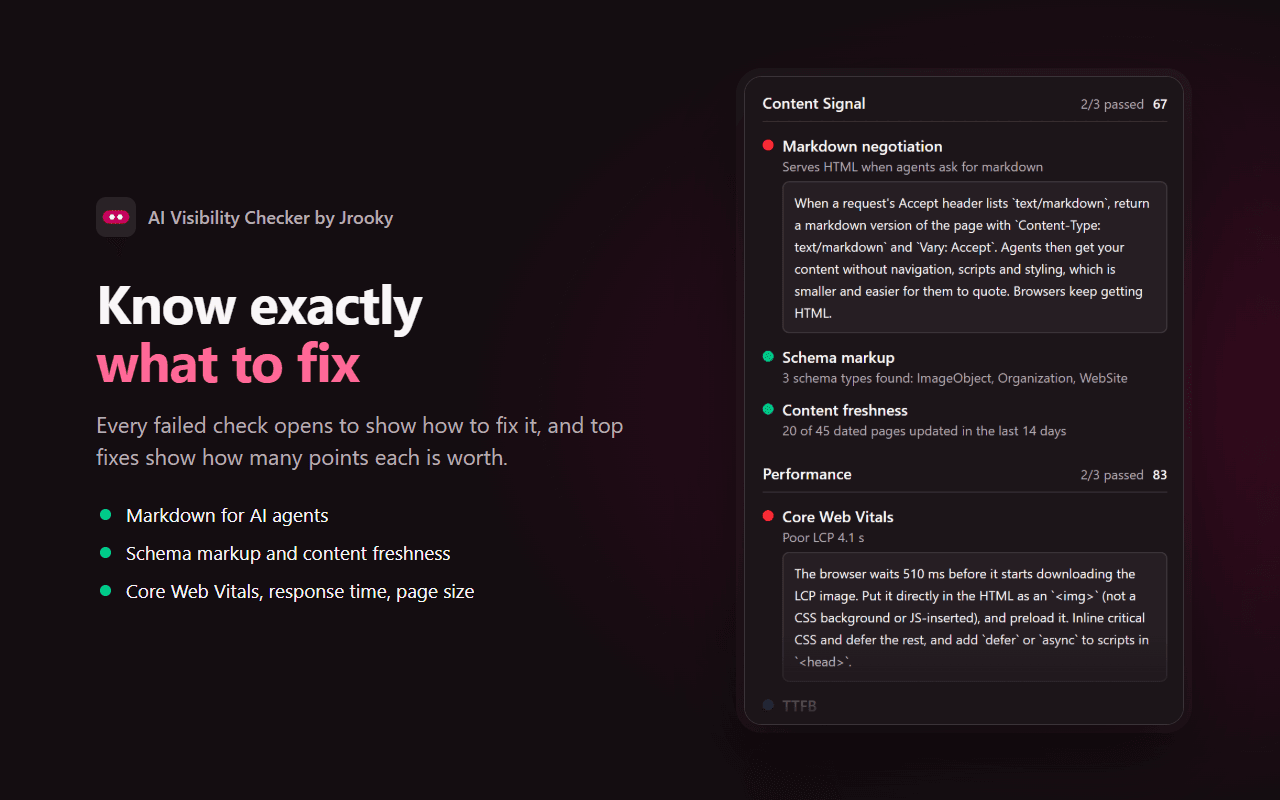
Open the full report for details, fix what failed, and scan again.
Screenshots
See it
in action.
Privacy
Small permissions.
Nothing hidden.
None of these permissions add an install warning in Chrome. Full details are in the privacy policy.
- activeTab
- Reads the address of the tab you clicked the icon on. Nothing else.
- scripting
- Reads that page's title, meta tags, headings and alt text for the on-page checks, in your browser.
- sidePanel
- Shows the audit in Chrome's side panel.
- storage
- Keeps your latest results on your device until the browser closes.
- jrooky.com
- Sends the scan request and gets the score. It contacts no other site.
FAQ
Extension
questions.
Is the extension free?
Yes. It uses the same free scan as jrooky.com, with the same daily limit: 10 different sites every 24 hours, shared between the extension and the website.
Is the score the same as on jrooky.com?
Yes. The extension sends the site to the same scan and gets the same checks, score and fixes back. It adds a “This page” section that checks the exact page you have open, and links to the full report on jrooky.com.
Why do the “This page” results differ from the report on jrooky.com?
The extension reads the page in your browser after its scripts have run. The jrooky.com report reads the HTML the server sends, which is what most AI crawlers see. If a title or heading is added by JavaScript, the extension shows it and the report may not.
What can the extension see?
Nothing until you click its icon. It then reads the address of that tab, and only sends it to jrooky.com when you click “Audit this site”. The on-page checks run in your browser and never leave your device. It can't see your other tabs or your browsing history, and the only site it contacts is jrooky.com.
Can I close the panel while a scan runs?
Yes. The scan keeps running in the background, and the result is waiting when you open the panel again. A result older than a day is refreshed with a new scan.